Tuesday, June 21, 2016

From the Guardian 1/2012...
http://www.theguardian.com/theguardian/from-the-archive-blog/2012/jan/19/david-hockney-art-technology

David Hockney: The art of technology

As David Hockney's iPad drawings go on show as part of a new exhibition, we look at the artist's love affair with technology


This weekend sees the opening of a major exhibition of new work by David Hockney at the Royal Academy, including a display of his iPad drawings and a series of new films. Hockney has embraced the iPad as a means of making art, saying in an interview in the Guardian this month that 'the iPad is like an endless piece of paper that perfectly fitted the feeling I had that painting should be big.'

This weekend sees the opening of a major exhibition of new work by David Hockney at the Royal Academy, including a display of his iPad drawings and a series of new films. Hockney has embraced the iPad as a means of making art, saying in an interview in the Guardian this month that 'the iPad is like an endless piece of paper that perfectly fitted the feeling I had that painting should be big.'


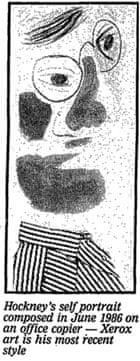
David Hockney xerox

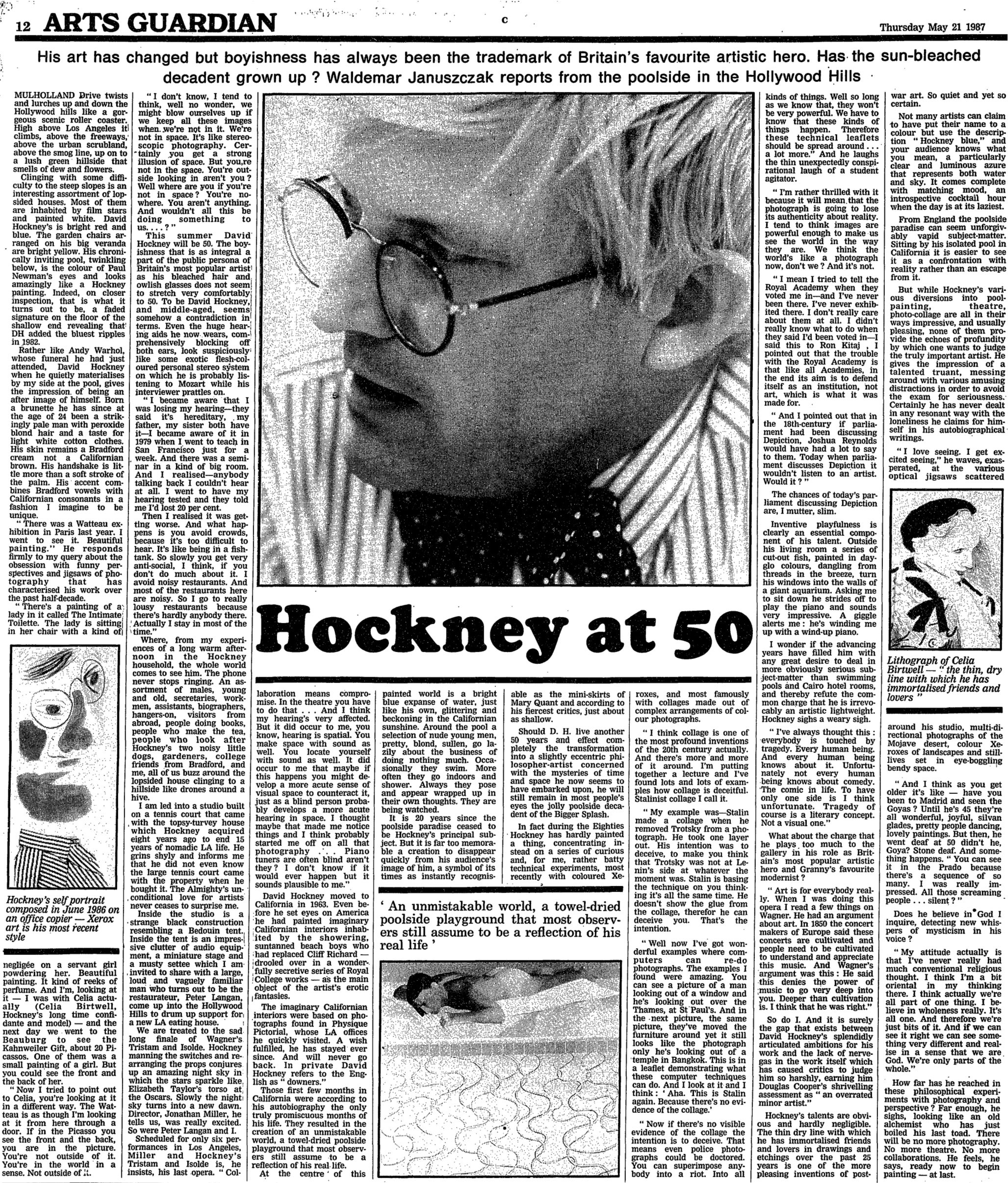
Hockney's adoption of the iPad is the natural next step in his interest in using technology to explore art. In 1986, he was experimenting with Xerox and collage (the picture on the left is a self-portrait composed on an office photocopier) and in an interview in the Guardian with art critic Waldemar Januszckak on his 50th birthday in 1987, he touches on how computer technology can radically affect the way images are perceived.

Hockney's innovations also included the use of the Quantel Paintbox, appearing in the documentary 'Painting with Light' to demonstrate its groundbreaking qualities.
In the television preview below, Hockney describes how it feels to paint with this electronic paintbox.

For a fuller understanding of the Art & Career of David Hockney go to: https://www.artsy.net/artist/david-hockney

Tuesday, May 3, 2016

Tech that Makes Art History Lessons Come to Life

Nice article from EdTech Focus on k-12...

"Technology Can Make Art History Lessons Come to Life

New and emerging tech tools are helping educators make art and art history a richer, more immersive learning experience."
"...It’s one thing to study the elegance, beauty and sophistication of Michelangelo’s Sistine Chapel, but what if virtual reality or mobile technology could actually transport you there to experience the marvel itself, rather than just reading about it?
While it’s not quite fully baked, there are organizations and technologies that are tinkering in this space to make art education something that leaps out of the text books and engages students on a richer sensory level.
But in order to offer the next-generation of art history education, we must start with better imaging technology.

Building a Treasure Trove of Digital Art Imagery

Two decades ago, educators had limited options for sharing art images. It was pretty much up to the trusty old projector to convey the richness and depth of some of the world’s most stunning masterpieces.
An article by Leo Doran in Education Week highlights how today’s students have it much better than their parents did years ago.
For much of the 20th century, slide projections of color images dominated the teaching of art history. Students’ exposure to some of the world’s most important and sublime works of art came through overhead projectors or static, often grainy images from printed texts.
Today, online databases of high-resolution digital images mean that students can access millions of artworks, or move through virtual spaces, where their parents might have had access to only a few hundred lower-resolution images.
Thankfully, there are a number of public resources and nonprofit organizations working to provide students and educators with access to rich digital-art repositories.
Having access to precise reproductions of art in the classroom matters, argues Fowler of Plano Senior High. Images are “the next-best thing” to studying works of art in person, he said, and “a lot of intricacies can be missed if an image isn’t high quality.”
Some of the resources where the images are housed are public, such as Smarthistory or the Google art project, while other image repositories, like nonprofit Artstor, require schools or districts to buy an institutional license. Behind its paywall, Artstor also offers a slew of essays and teaching resources targeted specifically to the AP Art History exam.
The wealth of imagery students have is easy to take for granted. But it requires the investment and effort of numerous entities. And sophisticated imaging technologies allow these digital replications to be more faithful than ever to the original artwork.

Mobile Apps Art Educators Can Love

Filling the archives with rich imagery is one thing, but how can educators truly innovate how students engage with art beyond looking at it and reading about it?
Touch Van Gogh, an interactive-art mobile app for iOS and Android, allows students to poke, rub and expose layers of the art in ways they couldn’t before. An article from the Van Gogh Museum highlights the unique features of the app.
In the recently restored painting Field with Irises near Arles, you can virtually polish away the discoloured layer of varnish, just as the restorer did on the original.
Through the colour reconstruction of The Bedroom, you see the colour of the painting before the red pigment faded. The walls of the room are no longer lilac but blue.
This app is just one of several in a growing category. The Global Educator Institute has compiled a list of additional mobile apps that art educators should consider integrating into their curriculum.
As the technology matures, educators should continue to push the boundaries of how art is taught. Reading and looking at art is just the beginning; educators must think more about how they can empower their students to explore and experience art as well..."
Read the full article at its source: http://www.edtechmagazine.com/k12/article/2016/05/technology-can-make-art-history-lessons-come-life 

Friday, April 22, 2016

APP for Visual Art Creation... creation tool for middle & high school...


Art App Offers Excellent Tutorials, Support

4/18/2016 12:10:00 AM
­
­
Title: Autodesk Sketchbook Summary: Impressive creation tool for teens serious about art
Pros: Impressive brush selections, professional tools on an easily accessible tablet screen.
Cons: There’s a learning curve for kids not already familiar with professional-level digital art tools.
Bottom Line: Gives students easy access to professional tools for creating digital art.
Read more here.
By Graphite from Common Sense Media

Saturday, March 5, 2016

Creating Finished Student Art from Academic Subject Visual Notes!


From Scholastic>>> http://www.scholastic.com/teachers/top-teaching/2016/03/visual-note-taking-keep-focus-and-improve-retention 

Here's an out-of-the-box opportunity to get some art into academic classes and get some academic learning into art classes... or any combination or permutation of this... could be powerful, highly motivating learning!

Follow the good ideas and suggestion from the Scholastic article and then, bring these notes into the 'Art Learning Space' be that a formal Art class or even simply some time out from the regular, academic classroom to consider Art for a change, and engage in some creativity... curate, arrange, re-arrange, collage, add captions and/or other visual elements to, RE-color - Touch-up - Embellish the notes as they were taken... and on and on as your students MAKE a finished piece for exhibition (or to be scanned and digitized to be added to a virtual exhibition). This models PROCESS and its relationship to PRODUCT and the act of thinking and
spontaneously creating... 

"Visual Note-Taking: Keep Focus and Improve Retention

If you’ve ever read author Dav Pilkey’s story on his school years, you know that our young doodlers shouldn’t be shunned for their artistic pursuits. He tells about years of being in trouble for writing and drawing in class, only to become a favorite children’s author and illustrator today. Have you sat through a conference or presentation lately? A meeting where you found yourself playing online instead of paying attention? Maybe some artistic time would help you focus. Guess what? It would help students too.
Visual note-taking is nothing new, but it is making waves online as we share more and more information visually. Also called graphic visualization or sketch noting, you might be taking notes this way already. Visual note-taking is more than just doodling. It is a way to synthesize information; carve out the most important points and use images to convey the message simply and effectively.
Two educator friends, Amy Mount and Amanda Koonlaba, shared some of their recent notes as examples. Koonlaba says she has just always doodled with her note-taking. Mount also wrote a post about using sketch notes professionally and comments that using the hashtag #sketchnote can lead to shared note-taking. These women show how varied our creative skills can be, and also that we don’t have to be artists to take meaningful sketches.


Studies show that note-taking enables recall and the synthesis of new information. Doodling can significantly increase the amount of retained information, according to a 2009 study. It says that even if doodling is not intentionally related to the listening task, more recall occurs. And while an article published through the Center for Teaching Quality suggests students might initially push back and be unsure of their artistic ability, I’ve found young students are willing to break out the markers. It’s a great opportunity for capturing their enthusiasm at a young age and building note-taking skills.

Selecting the Right Lesson
Young students need lots of scaffolding and direction for any new skill. First, think about the information you want to tell students and what’s most important for them to know. We were covering different kinds of folktales. I don’t care if students remember or memorize every element, but I wanted them to understand how these types of stories are related and how they are different. We were practicing reading and responding to various genres (RL.3.2) throughout the week.
For our lesson, students worked with a different type of folktale each day, from the Grade 3 version of 25 Complex Texts to Meet the Common Core. (Side note: These come in every level and I’ve used them for years. They are great texts and easy to differentiate while keeping the rigor!) Students had previously read some myths and fables from our reading series, but we had not broken the genre apart. I folded two sheets of 8" x 14" paper into a booklet for each student because I thought they would be more likely to doodle when they didn’t have lines..."

Read the full article at its source: http://www.scholastic.com/teachers/top-teaching/2016/03/visual-note-taking-keep-focus-and-improve-retention 


Sunday, August 16, 2015

Great Free Visual Art Apps for Kids's Creativity Projects

Text below excerpted from http://thejournal.com/articles/2015/02/03/4-awesome-arts-apps-for-students.aspx?=THEMOB

Some very worthwhile FREE (or almost FREE) APPs for Visual Art Learning

MOMAMoMA Art Lab
Grades: 1 through 8pte
Price: Free
Concepts: Investigation, imagination, making new creations
MoMA Art Lab is a free app for any budding artist or art enthusiast. It includes drawing and collage tools, art inspiration, art activities, a camera for screen capture and a gallery. MoMA Art Lab lets students take a virtual trip to the Museum of Modern Art without going to New York City. Kids can learn basic art concepts like line, shape and color while they use the tools within the app and gather inspiration to create more offline. Read the full Graphite review.


PaperBy53Paper by FiftyThree
Grades: 3 through 12
Price: Free, with in-app purchases $0.99 to $3.99
Concepts:  Making new creations, imagination, productivity
Paper by FiftyThree is a simple yet versatile digital sketchbook that has many uses both in and out of the art classroom. Designed to look and feel just like a real notebook, it features a clean aesthetic without any buttons or login screens. Kids can dive right in and make a quick sketch, note or a more substantial work of art. Kids can also share their work via social networks or well browse their peers’ work to jumpstart creativity. Read the full Graphite review.


Friday, July 24, 2015

The Digital Poster: A Learning Activity for ALL Students

Integrated Arts! Project Based Learning! The Digital Poster is the ultimate 'Across the Curriculum" art activity -  Applicable for just about all grades and subject areas... and great in the Art Class, as well! Here's an article with good insights and suggestions:

See the full article at its source: http://www.techlearning.com/blogentry/9549 

"Let’s Present! 21+ Digital Poster Tools & Tips

7/6/2015 By Shelly Terrell
                            

“It is the supreme art of the teacher to awaken joy in creative expression and knowledge.
– Albert Einstein

The poster project is one of the most popular assignments teachers give students to show their understanding and research. I still remember the amazing posters my international teens created. They invested a lot of time and money into creating nice labels, printing and pasting colored photos, and citing their research. I was sad when they needed to be discarded, because they were too big or somehow got destroyed. This is the problem with having students work with paper and cardboard. The students can’t keep their hard work and use it for future references or publish their ideas and research for others to be inspired. For this reason, I encourage you to transform the traditional poster project into a multimedia digital research project. Many free digital tools and apps help students create multimedia posters with incredible graphs, illustrations, charts, images, labels, fonts, templates and linked research. Find some ideas and tips below along with downloadable slides to get you and your students started with their multimedia digital research projects.
 

Tips

  • My favorite tools for creating digital posters include Canva, Buncee, VismeTackk, Piktochart, Smore, ThingLink, Biteslides, and Glogster.
  • If you are creating digital posters with a tablet or mobile device then try these free apps-  Canva (iPad), Buncee Pro (iPad), Thinglink (iOS & Android), Pic-Collage (iOS & Android), Tackk (use on any tablet through the browser), Glogster (iPad), and Grafio (iOS).
  • Your students can also curate their research into digital boards with free tools like Educlipper, Blendspace, Pinterest, and Livebinders.
  • Before students create their digital posters, have them learn visual rhetoric and design, which covers the best fonts to use for easier reading and the importance of whitespace. ArtSkills and Canva Design School have incredible guides and resources for teaching visual rhetoric.
  • Integrate digital research and STEAM (Science, Technology, Art, and Math) by having students create infographics. Here’s a great TED Ed lesson plan featuring David McCandless’ inspiring Ted Talk about the beauty of data visualization!
  • The research becomes part of the poster when students create infographics or charts and link to their references and citations. You can easily create hyperlinks with many of these multimedia tools, but it is important students also reference their links.
  • Easily create a Works Cited page with Google Docs research tool, Cite This for Me, and EasyBib.
  • You may also want to get your students to create QR codes for people to access the Works Cited or Reference list if the poster will also be printed.
  • QR Codes can also be used to get viewers to interact with the poster. You can link to audio, video, games, or polls.
  • Teach students how to conduct digital research. The Kentucky Virtual Library has an interactive infographic that illustrates the digital research process. Use this as a guide and also my slide presentation, Research in the Digital Age, which you can download as a pdf.
  • Poster Presentations has many templates for creating digital posters on PowerPoint that can be printed.
  • Students will enjoy bringing their posters to life through augmented reality. I recommend Aurasma Augmented Reality App for iOS and Android.
  • Teach students how to remix responsibly the content of others they integrate into their posters. Find information about remixing creative commons and public domain content in my bookmarks.
Challenge: Get your students to create digital posters this year and share their research with others.
Bookmarks: Find the tools listed above and many more resources in the bookmarks below:
Poster Tools, by shellyterrell "

Thursday, May 28, 2015

Is ART an essential school subject? If you have to ask, you are hopeless!!!

Great article from PHYS.ORG
"Probing Question: Is art an essential school subject?

Because works of art are almost always 'about' something, Christine Marmé Thompson says, they can be the glue that binds the curriculum together and helps kids synthesize all of their learning throughout the day.

             
For decades, "reading, writing, and 'rithmetic" were considered the most fundamental subjects in American K-12 schools. These days, in order to boost our nation's global competitiveness, many schools and colleges are emphasizing STEM subjects—Science, Technology, Engineering, and Math—over the liberal and fine arts. The White House has even announced the goal of increasing by one million the number of students who receive undergraduate degrees in STEM subjects over the next decade.

In light of our shifting educational priorities and, in many places, shrinking school budgets, are there still persuasive arguments to be made for the importance of as a core school subject for American kids?

Absolutely, says Christine Marmé Thompson, Penn State professor of education. "Eliminating the arts from the curriculum is short-sighted on a number of levels," she says. "Seeing art as expendable indicates a deep misunderstanding of the role it plays at the center of learning. The visual arts are a powerful language for communicating concepts and theories in any field, both during the process of being developed and once they are finished 'products' to be shared with others." Because works of art are almost always 'about' something, she adds, they can be the glue that binds the curriculum together and helps kids synthesize all of their learning throughout the day.
Many educators recognize that creating this kind of synergy between subjects helps students learn in a deeper and more well-rounded way. Thompson says this is why there's a growing movement to turn STEM into STEAM—Science, Technology, Engineering, Art, and Math.
To be competitive globally, we need more than a grasp of factual information; we need to raise people "who can innovate in every field, including the technical ones," she adds. The liberal and fine arts, including visual arts, are recognized as playing an important role in the development of creative thinking skills. As Thomas Friedman, author of the bestselling book The World Is Flat, put it in a recent interview, "It's not that I don't think math and science are important. They still are. But more than ever our secret sauce comes from our ability to integrate art, science, music, and literature with the hard sciences. That's what produces an iPod revolution or a Google."
"I couldn't agree more," says Thompson, one of only three art educators nationwide to be named a National Art Education Association Distinguished Fellow for 2015. "That's why I feel so strongly that schools without art education programs will narrow students' education and potential contributions to society." Art programs should be expanded, not put on the budgetary chopping blocks, she argues. "Overall, I think there is often less emphasis on making art in art classes today, for reasons that are often practical and financial, including lack of supplies and storage. There is great disparity in the ways that art is taught and provided for from one school to the next, much as there is tremendous difference in the ways that schools are funded and provisioned across the country, even from neighborhood to neighborhood. But whatever the circumstances, the work of dedicated art teachers is vital for some children, and significant for all."


Thompson directs the highly regarded Penn State School of Visual Arts Art Education Program, a Saturday art program for students ages four through eighteen. Despite the program's success, she does not view such private efforts as a substitute for art classes in the schools. "I like to think that the relationship between art in the schools and our teaching in Saturday School is reciprocal," she says. "We hope to support art teachers and we know that we build on their work. We have great success because our students are amazing, and our students are amazing thanks, in part, to their in-school art teachers who have inspired and guided them."
Private programs can, however, provide a vibrant example of "what can happen in and because of art education," she says—an example that may help persuade policy-makers and school boards of the importance of art in the schools."

"We are at a critical moment, when decisions are being made against the best advice of people who have devoted their lives to understanding children, teaching, and learning," says Thompson. "I believe this is a time when we need to listen to children, to parents, and to teachers, and to realize that the things that make children happy and proud and confident matter a great deal, and belong in schools. Every child deserves to have diverse educational experiences, including in the arts, so they can determine what they love to do and who they hope to be. That is supposed to be how America works."

Read the full article at its source: http://phys.org/news/2015-05-probing-art-essential-school-subject.html